I missed the Beta signup for the Ezlo Plus, and I’m waiting for the Atom2 to arrive… But on the topic of wording, I find myself partial to “Scene X started” or if you want to have a more engineering like feel, “Scene X: state achieved”
ok i thought this was about initialising the scene after creation, as i have not received the Plus yet. And from what i can tell the Atom has no notifications. sorry about the confussion.
How about
scene xyz triggered
I havent gotten to test more on the Ezlo Plus, but can report that adding it to the controller list affected the geofencing on my primary controller. When i tried to get in to my primary controller yesterday, the app was hanging on “select controller”. Today i could get into the primary controller again, haven’t left the house to see if geofencing is working.
This is probably due to the workarounds to get the E plus into the app structure, but any input is good input, right? 
I’ll send you a DM and get this sorted. We need further details on your side.
After receiving my device I’ve setup the controller without problems. Adding/removing rooms worked very quick and adding Amazon Alexa worked fine. Now I try moving some Z-Wave devices from my Vera Plus to the Ezlo Plus. I’ve excluded a Eurotronic Spirit thermostat and failed adding it as a generic Z-Wave device. The device is close to the controller but both countdowns end without a successful inclusion. Has anybody tried the Spirit with the Ezlo Plus? Is there a way to test if the z-wave antenna/chip is working correct before trying another device?
I’m trying to get VOI up and running. I’ve installed the eWeLinK/SONOFF skin and successfully found the switch (TH10R2) which I called “Poolpumpe”. I’m able to control this device via the alexa app, but if I type the Alexa command in VOI “Poolpumpe einschalten” (turn on Poolpumpe) I get the response that no smart home devices are found in my account and I have to go to the smart home area in the Alexa app to start. Have I missed a step?
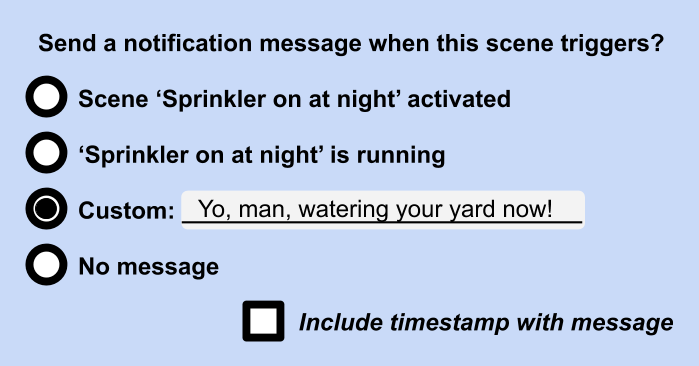
What if there were a “Custom Announcement” field in which the user could type whatever phrase they want to see/hear when the Scene runs?
The UI could in fact have a small set of radio buttons to select from, allowing us to customise the message, or choose none at all:
12 Likes
This +1. Custom messages, please!
2 Likes
Also no luck with including an Aeotec Multisensor 6 as Genereric Z-Wave device 
excellent idea @LibraSun, in addition there could be the possibility to enable TTS on the new Ezlo Dashboard so that this custom message would be spoken out loud when received on a Dashboard device.
2 Likes
With the latest firmware, 1.0.27 for Ezlo Plus, I now get emails when each and every device is turned on or off. How do I turn off these emails? I never set up these notifications, and don’t find any place in the iOS app that allows for control of the notifications.
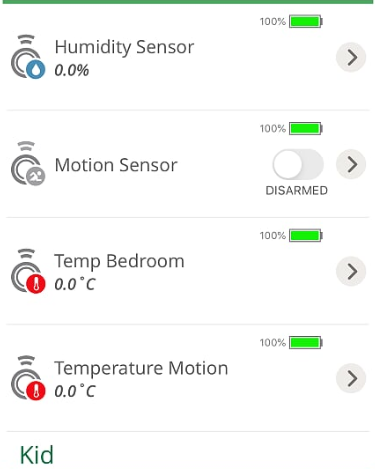
I updated to latest firmware 1.0.27 and after the reboot all my devices lost connection… after a while the Centralite Pearl Thermostat came back online but other devices are not communicating… I don’t get any error but the values are not updated, on all temperature and humidity sensor it shows 0 and motion detector is not changing state.

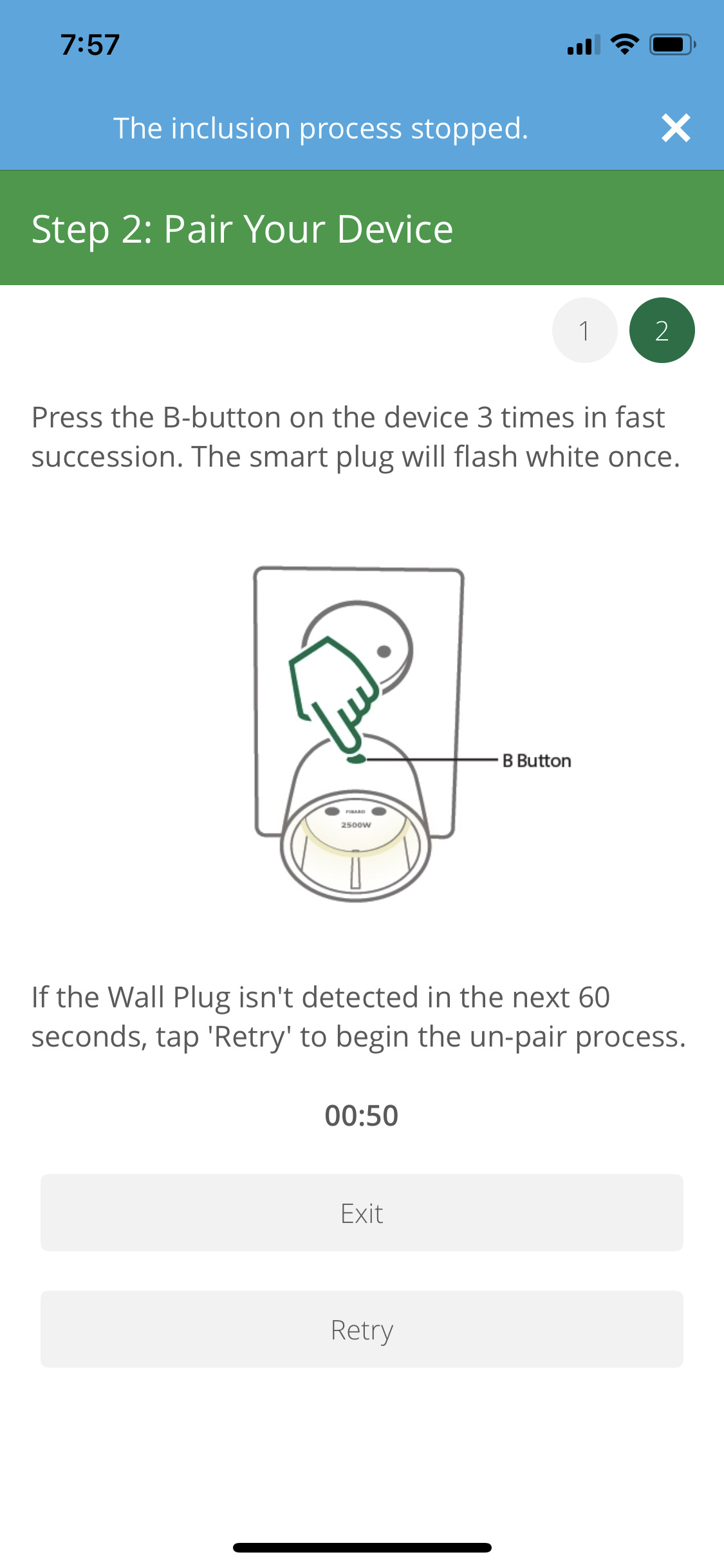
another issue that i have i tried to include Aeotec Smart Switch 6 all went well with the inclusion but when i pressed done and return in the app i got this error

after that i tried to include fibaro plug FGWPE-102 it was not able to include it and after a couple of tries I started receiving this error

i rebooted the controller but same thing, this has happened before usualy after reboot it fixes the inclusion stopped error but i tried 1-2 times nothing changed. I didnt had more time to play 
Instructions said to add to the app as a Vera Edge and it will populate as a Ezlo Atom. However, it populated as a Vera Edge. Only the app sees it. Logging in via a browser on a PC shows Controller offline. Can’t update the firmware via the app. I’ll have to re-approach this in the morning. Maybe drop it and re-add it.
Hi @TheSaint,
To upgrade to latest Ezlo Linux firmware you only need to unplug the device and power it again.
On web UI it shows offline for now because there is no support. A custom text will be displayed, as it is right now for Ezlo Atom and Ezlo PlugHub that tells the user the connection must be done from the mobile app.
1 Like
That explains a lot. That will make perfect sense when the message begins to be displayed for users. I’ll begin testing things out today then. I did swap out they’ll adapter with another 2A US adapter I had laying around. The one that was sent with this (a temporary European adapter with a US converter thrown on it) wasn’t reliable as the US converter barely held on, causing it to wiggle loose too easily. Thankfully, I have a draw filled with parts like wall adapters. So now to play!
I thought the same thing when I received mine and just figured I’d find another adapter lying around the house. Hope to start testing soon.
Update on my tests…
Tried this evening to include both Aeotec Smart Switch 6 and Fibaro Plug without success. Smart switch 6 included with an error as this morning and fibaro i managed to include it as a generic Zwave device everything went well but i could not control it it looks like it behaves as it lost connection but without error. Also i tried to exclude it and include it again and i recieved again the error
I rebooted the controller and one of my zigbee devices lost connection
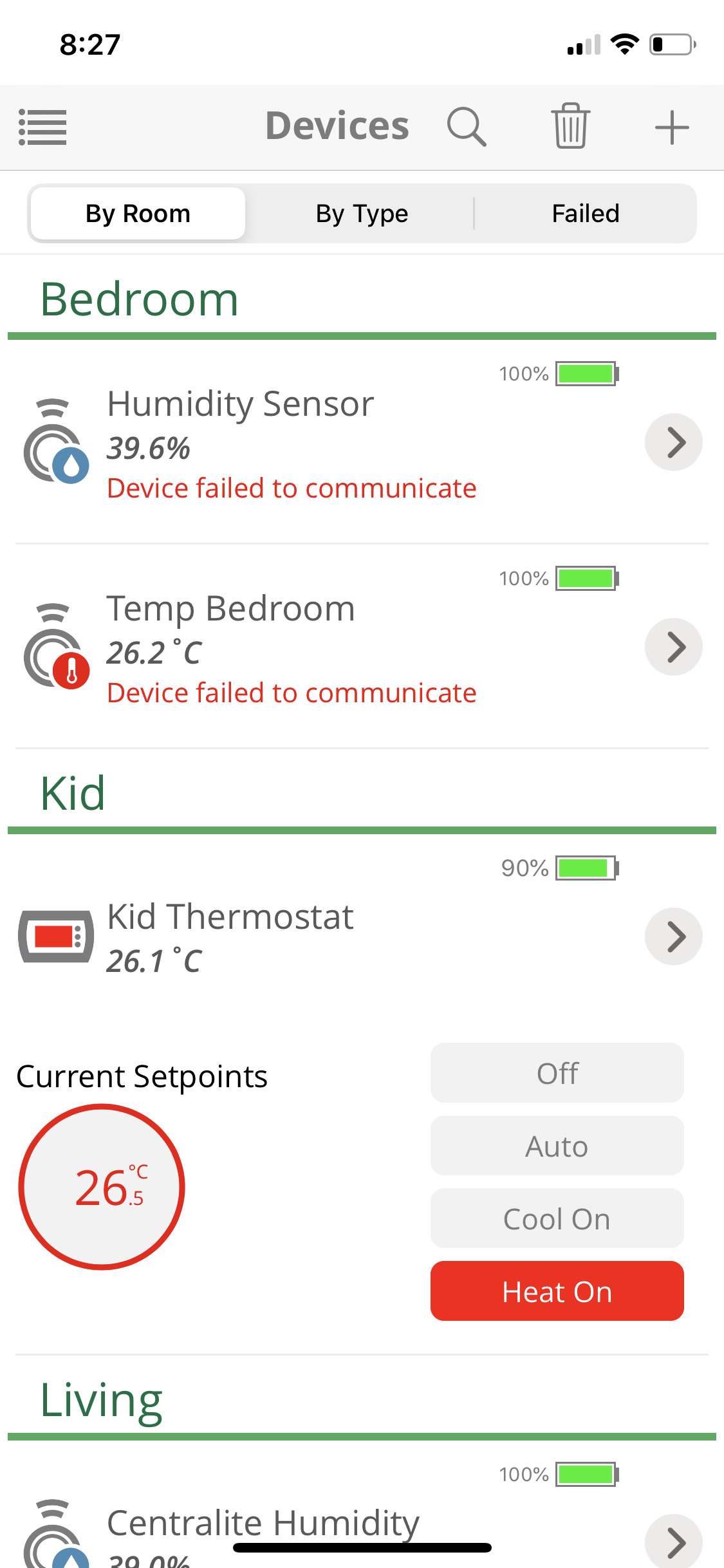
At the moment Ezlo Plus is too unreliable even for beta testing i will wait for couple of firmwares and will try again and i was so exited because of the Ezlo Bridge plugin for open luup which gives the opportunity to copy some devices from ezlo to vera but… nothing works on Ezlo at the moment.
2 Likes
Hi
how can we see where it crashes? is there a log for inclusion and exclusion to see all the steps? and especially to exchange with the team
Hi,
You can ssh into the box as before. The log files are in /tmp/log/firmware. Not sure of the correct one to look at, just check.
Cheers Rene
After some initial issues with getting devices to pair and getting the firmware to update I now have the Ezlo plus working with a number of devices. I have a Sengled Zigbee bulb, two GE/Jasco outdoor switches, two NEO plug-in switches, an Inovelli on/off switch, and three dimmer switches (which might all be DragonTech WD-100Z). I also have Google assistant connected.
I now am having an issue with setting up scenes for the dimmable devices. I am trying to set up a scene that will turn off the Zigbee bulb and the three dimmer switches. When I select the device action it puts two separate actions in the list for each of these dimmable devices… one action for ‘turn light off’ and one action for ‘set light level to 0%’.
When I run the scene this way it works, but the next time I try to turn the lights on they are at 0% dim level.
When I’m on the screen to add actions I can click the red icon next to an individual action to remove it from the list, so I tried removing the ‘set light level to 0%’ for each device. That removes it from the list on that page at first, but when I click ‘next’ and ‘save’ the scene the end result is different to what I just had on the previous screen. The completed scene shows the ‘set to 0%’ action and doesn’t show the ‘turn light off’ action… at least it was doing that most of the time for 2 of the 3 Z-wave dimmers, with the third one correctly showing the ‘turn switch off’ action.
Also strangely when I click the red icon next to one of the actions for ‘set to 0%’ ALL of the actions for ‘set to 0%’ disappear from the list (but only to reappear after I save the scene).
If it sounds confusing that might be because it is. I may have to record a video of the screen to fully show just how odd the app behavior is.
I tried deleting the scene and creating a new one with just one of the dimmable switches and I get the exact same result. I seems it is not currently possible to create a scene where a dimmable device is sent just an ‘off’ command.
In the meantime I’m having to use Google Home routines to turn these lights off properly rather than a scene on the Ezlo Plus.