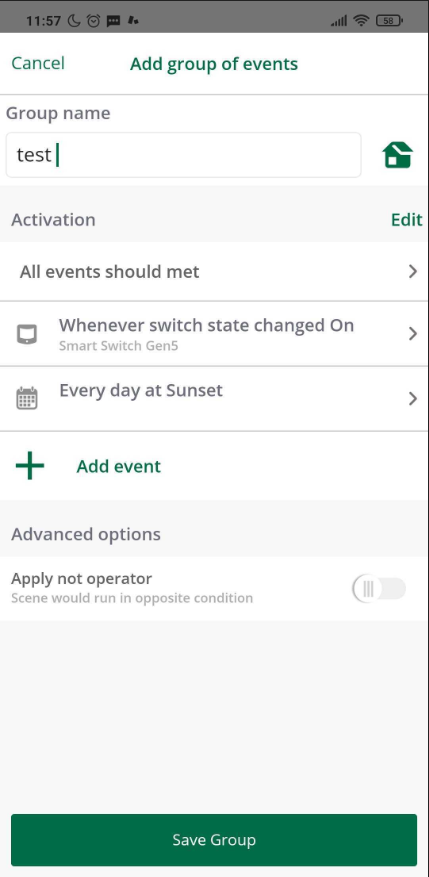
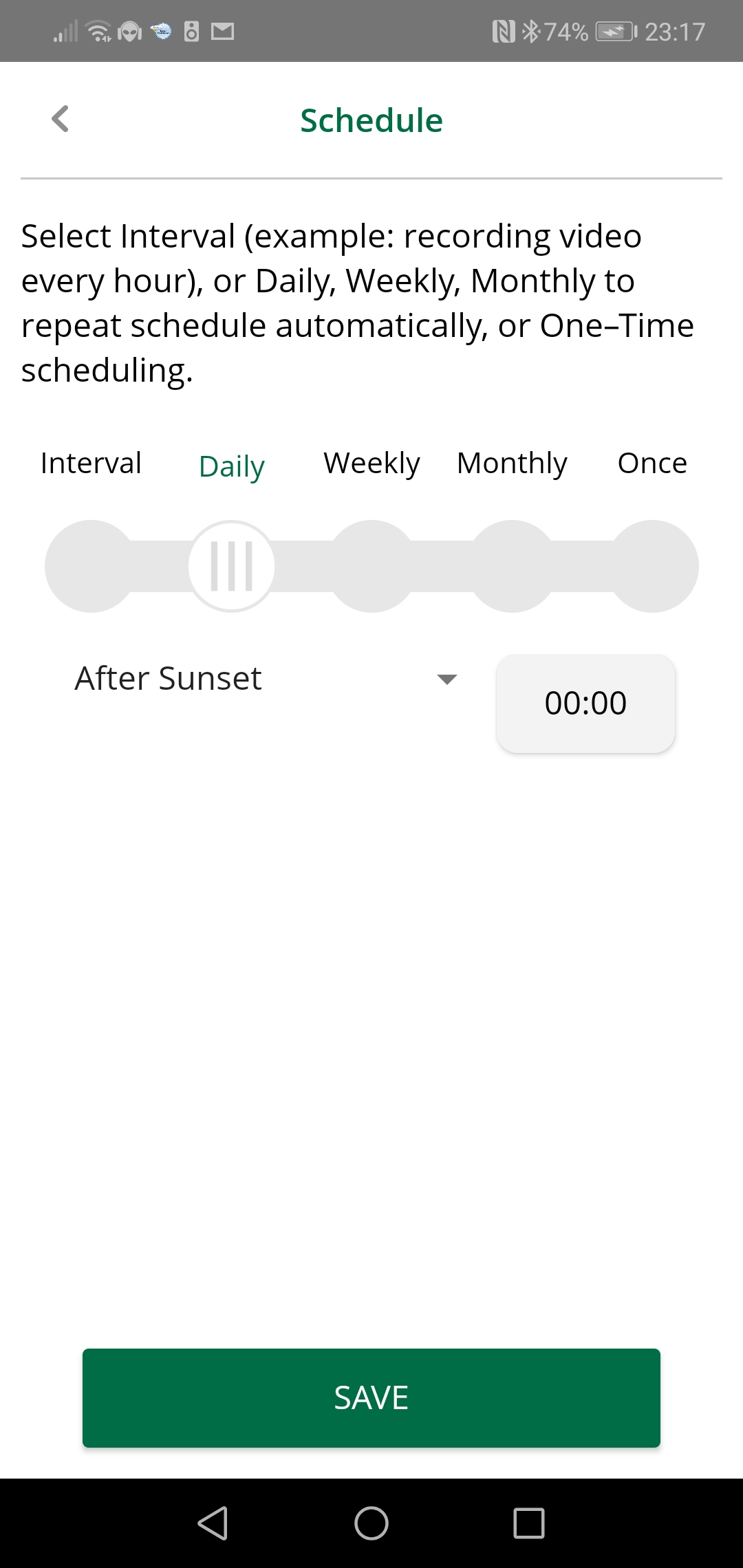
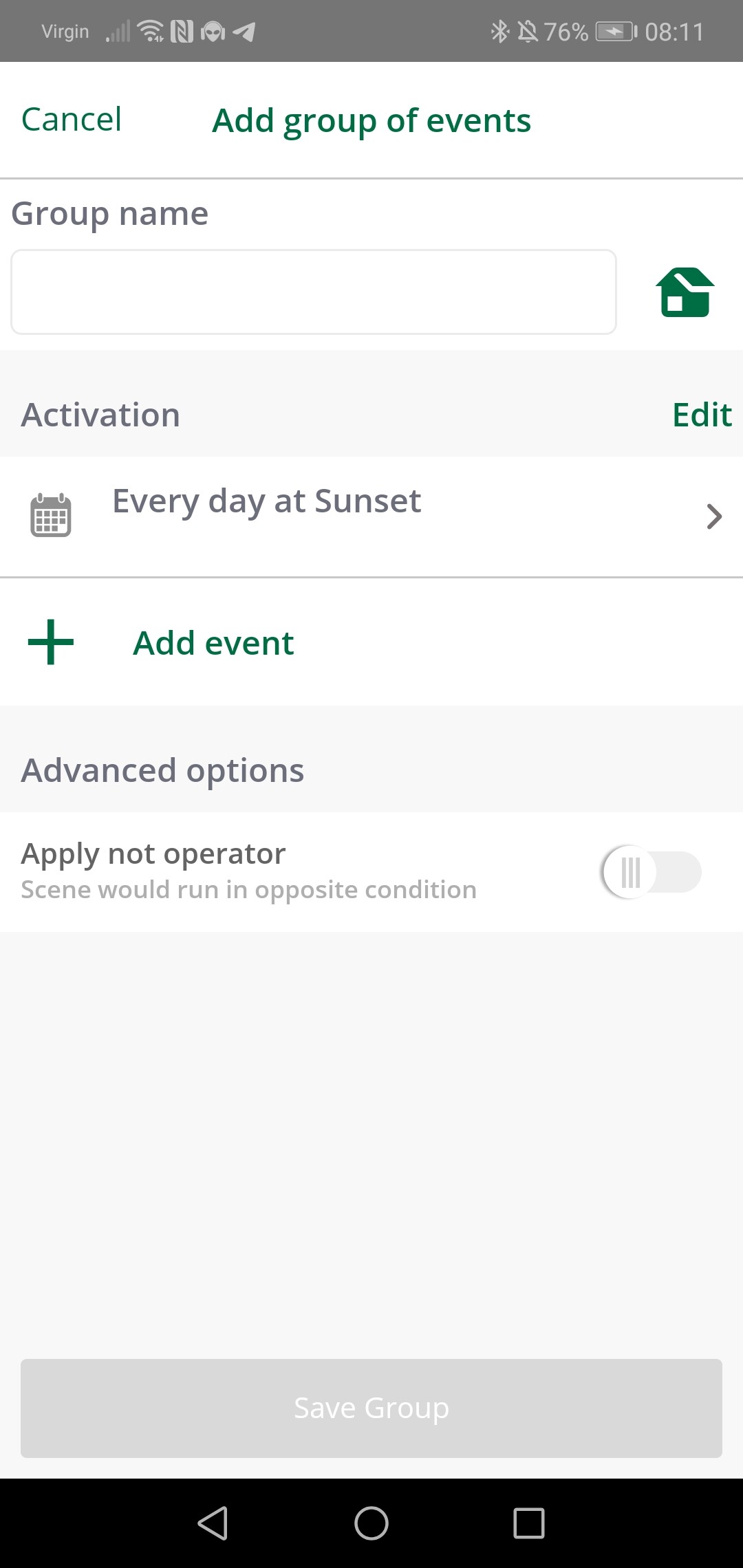
In the mobile app, you will now find an option to add “groups of events” which will allow you to add all events that should be met in order to execute a scene: for example, you can select a device as a trigger and also add a second activation condition to be a schedule (every day at X time of the day), or select before, at or after sunrise/sunset).
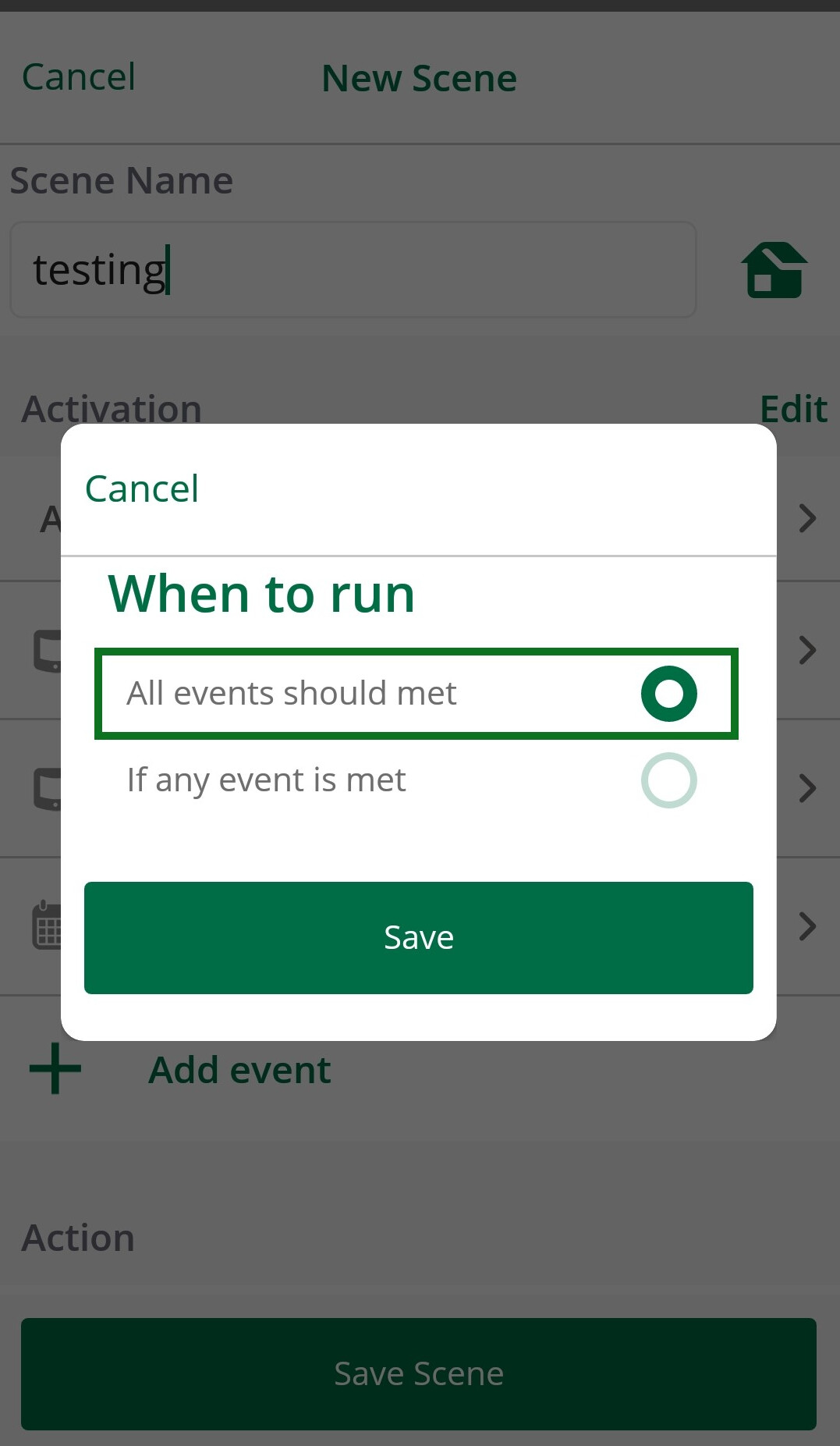
In this case, a scene can have multiple devices as triggers as a “Group of events”. Once you create the scene you can choose if the scene runs when all the events met or if any event is met.
In the following example, the scene has 3 triggers, they all should meet for the scene to run.
After you select your triggers you can select the actions that will take place once the scene runs, they can be multiple actions too.
In the app, all the events are conditions or triggers, the scene will run when any of the events is met (OR conditional) or when all the events are met (AND conditional).
For you example scene:
If you choose the first option (when all the events are met)
If (Switch A is ON) AND (Switch B is OFF) AND (Is night time) then
(The scene will run)
If you choose the second option (when any of the events are met)
If (Switch A is ON) OR (Switch B is OFF) OR (Is night time) then
(The scene will run)
In case you want to run the scene at night you can run the scene by schedule at a specific time.
So the only trigger here that ever initiates the scene, is that switch A is Turned On, and the conditions are switch B must be Off and its night time
Right?
I dont think that is right, because if switch B is later turned On and then Off again whilst switch A has remained On and whilst it’s still Night time, then the scene will be run again. Yes?
However I don’t want this scene to be fired and run again.
This is why triggers and conditions should be separate as they are two different things.
The only trigger I want that ever initiates this scene, is that switch A has been turned On.
And the only conditions I want is that switch B must be off And its night time.
All you are doing here is showing basic AND / OR operators. And I still can’t see how you are checking its night time?
What if I want to change this sightly is this possible?
I have this exact problem. I created a virtual switch that is on after sunset and off after sunrise but the scene only allows the “OR” operator. I need the logic to say turn on light off motion sensor is tripped “AND” it is after sunset.
Hello @rlargent,
If you are using an Ezlo controller, you should be able to add triggers with the operator AND. Please check this topic I created for instructions.
In your case, you will need to add this day/night virtual device to a group with the other triggers and select the option “All events should be met.”
Regards!
That seems to have done the trick! Thank you so much for the tip. I didn’t even see the section for any or all events. I have fixed my automation and it works as intended. I really appreciate the help.