My home had two motion detectors installed and connected to a home security system when I purchased it. I’d like to install some Z-Wave motion detectors to drive home automation features. Will they interfere with the security MDs?
No they wont, but the security system ones are much better and if you already have them and an alarm why not use those with VERA instead of buying new ones?
“…why not use those with VERA instead of buying new ones?”
Because I have no idea how to connect them to Vera, so I assumed it would be easier to just add new ones.
Depending on what kind of alarm system you have, it is often possible to connect your Vera to your Alarm Panel through a special cable and an app. It will allow the Vera to interact with the alarm states of your panel, as well as get access to the motion, door and windows sensors to drive automation.
[quote=“jschaffe, post:3, topic:189000”]“…why not use those with VERA instead of buying new ones?”
Because I have no idea how to connect them to Vera, so I assumed it would be easier to just add new ones.[/quote]
That might depend on which z-wave motion sensors you buy. Several new 4-1 sensors are only working halfway and you might find that it’s the same amount of trouble and cheaper to just use your alarm. Plus I’m asumming if you have alarm motions that you already have door contacts and window contacts and all. Each one of the z-wave doors costs 20-40.00 and uses batteries. Z-wave battery devices like to sleep and are slow to report. Battery z-wave Motions like to stop reporting after they already reported several times.
There is a whole section of the forum for alarm panels. It will depend on which panel you use. A new alarm panel board cost around 60.00 even if you had to swap it out.
Throw us some info and we can help you determine what would be involved based on your alarm.
Find the main metal box that houses the alarm panel and all the incoming wires, backup battery and maybe phone lines. Let us know the brand and model of the panel. Is there any wireless sensors in this system, or is it all wireless or wired?
As was said depending on the panel there are different adapters that plug into the alarm panel and have either a USB or Ethernet cable that will plug into VERA’s usb port or your router/switch. Adapters can be 25-90.00. But then after that a plugin is installed and vera can see all of your door/window/motions in VERA same as if it was z-wave sensor. The alarm still works the same as it did before even if Vera dies, freezes, quits or what ever, but now you can also use VERA as if it were another alarm keypad. Arm, Disarm, see faults, or what ever. Adding more zones/sensors to the alarm is cheaper then adding z-wave. Wireless alarm sensors work up to 300ft, and batteries last 5 years plus unlike z-wave.
I believe I have a Ademco Vista-20P, although it could be the 15P. I’ll have to empty the coat closet and open the wiring box to be sure which one, but it’s definitely one of the two. I did some searching and there seems to be a NuTech AD2USB device that can link from this particular security system to the USB port on my VeraEdge. Based on the sampling of posts in the forums here, some people seem have various degrees of difficulty with it. Would you think that’s a general problem? Are there other devices, and if so, which might be the most reliable and easiest to use? I’m not after recreating my security system here, just increasing the level of home automation.
Vista 20p are what I would say the most common alarms (along with DSC) here on vera. Ad2usb is what you need and costs 80-90.00. There is also an EnvisaLink 3 adaptor that I seem to think now works also with vista panels. Do some research on both. http://forum.micasaverde.com/index.php?topic=12821.0 might be a good place to start.
As far as install goes, I think there will be some degree of difficulty here. And for everyone that is different. For one I’m not sure the alarm panel is anywhere near the vera and the AD2usb will need a 4 conductor wire ran from the panel towards the vera, then the adaptor and a short usb cable pluggin it in to the vera. Plugin wise I don’t think you’ll have to much of an issue and people on here are very happy to help you with any settings you might have. Usually install plugin and enter serial information and it will find all your zones. I think the harder part will be making the physical connections. The plugin is more reliable with a physical connection then a z-wave sensor.
Another thing you might want to research first is if anything on the panel (settings) need to be changed to allow a another device/adaptor to connect to it. I know on my Caddx panel you need to enable the serial port and set a speed. Not sure how that works on a Honeywell. But instructions were given and I even see youtube videos you can watch which might help you.
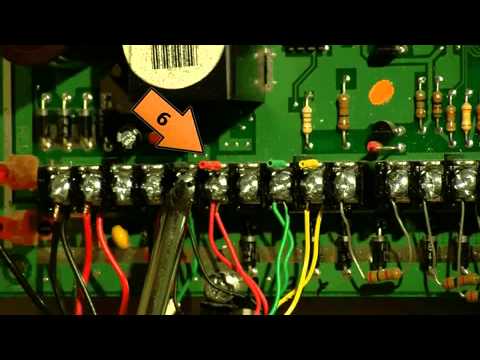
Do the Vera to alarm system integration. You will find tons of uses for knowing the state of doors/windows/armed state in your PLEG automation logic…
Thanks for the information, I’ll definitely look into it!