Hi,
I currently have a couple of Fibaro RGBW Controller 2’s that I use with 0-10v analog sensors.
I have (Vera-alert) alerts set up to trigger when the value changes. These are displayed as dimmable lights 0-100%.
For some reason i’m getting alerts that the levels have changed when they actually havent. The new value can be the same as the old value.
can someone please guide to create the logic to allow my condition to only be true when the increment is + or - a set amount like a full 1%.
I tried creating a stored variable and triggering when current level is > or < than that but just can’t figure it out as that didn’t work.
Must be missing something simple.
Many thanks!!
Sounds like you were on the right track. Why not post what you tried and we can work from that?
Hi, thanks for assisting. Really appreciate this. I have some other 40 reactors with way more complex features, but this one is being tricky 

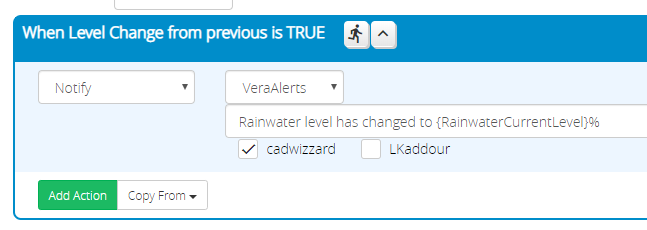
(The poll hourly is because the Fibaro RGBW 2 seem to update randomly and not consistently during level changes when used with 0-10v sensors, but they do when they are polled)
Best regards,
Darryl.
OK… I’m not sure of the units of measurement are here, but I’m going to assume they are arbitrary and you are looking to detect a percentage change between a prior value and current value (I’m taking the title of this topic literally).
Reorder the expressions you have so that RainWaterPreviousLevel comes before RainWaterCurrentLevel, and use the expression RainWaterCurrentLevel as the entire expression for RainWaterPreviousLevel. Expressions are evaluated in order, so by having RainWaterPreviousLevel evaluate first with just RainWaterCurrentLevel as its expression, it will save the previous value of RainWaterCurrentLevel before the next evaluation gives it a new value. I hope that’s not confusing. 
Then, add these expressions:
RainWaterChange expression: abs(RainWaterCurrentLevel - RainWaterPreviousLevel)
RainWaterPercent expression: RainWaterChange/RainWaterPreviousLevel*100
Then the condition:
-
Expression Value
RainWaterPercent >= 1.0 (or whatever percentage threshold you want)
Hi
Thanks for this! The ordering of expressions still kind of confuses, but also makes sense - I didn’t realise the criticality of this, so i’ll check over my other sensors in case they may be affected.
All done and currently registering 20 for the first two expressions (you are right % - but the value is displayed in the sensor as a light/dimmer slider, so always will be 0-100) and 0 for the last two.
I was getting null values and wondered why, but after using my eyes I realised you wrote RainWater where my variables were Rainwater - makes all the difference! 
No rain for 8 weeks here (some miracle) so i’ll have wait to see the true results.
This was really handy as I also monitor heating oil levels and I got the same false warnings that the % had changed, even though was displaying the same number. I’ll add the logic to smarten that up on there too. Very handy to be easily able to set the percentage threshold easily as i’ll widen that later (notifications are based on it and i’ll be able to now create a warning if the % changes quickly, i.e. leak!)
Thanks again! Much appreciated.
Darryl.