the download times out. Not sure if means the OS is wrassling with it or if maybe the file is corrupt. I’d like to try deleting and re-uploading it. Is the correct file to delete this one?
/storage/cmh-ludl/D_VeraAlexa1.xml.lzo
The file size for that file in Vera doesn’t match the original size, but am guessing is because compressed. Don’t know the compression format .lzo, so not sure how to look at it in Vera to see if it’s ok or not.
for k,v in pairs(luup.devices) do
    if v.device_type == "urn:bochicchio-com:device:VeraAlexa:1" or
        v.device_type == "urn:dlna-org:device:DLNAMediaController:1" then
        luup.attr_set( "device_type", "urn:bochicchio-com:device:VeraAlexa:1", k )
        luup.attr_set( "device_file", "D_VeraAlexa1.xml", k )
        luup.attr_set( "impl_file", "I_VeraAlexa1.xml", k )
    end
end
luup.reload()
Ha, yes, I was wondering about the “dlna-org:device:DLNAMediaController” versus “bochicchio-com:device:VeraAlexa”. Alas, still the same error.
Should the original instructions have been to use device type “urn:bochicchio-com:device:VeraAlexa:1” instead of device type “urn:dlna-org:device:DLNAMediaController:1”, or was that just a shot in the dark?
Thanks (yet) again for any suggerstions. I’d be happy to start all over again if any of my uploaded files are corrupt. Or if I knew how to unzip a file of type .lzo, I could see if D_VeraAlexa1.xml is corrupted, as I suspect. (see earlier post about how download command fails.)
and, as I mentioned, I found /storage/cmh-ludl/D_VeraAlexa1.xml.lzo, but don’t know if that’s the correct file to delete or if safe to delete from command line (don’t want to break my Vera)
Just upload the files again using the uploader at Apps > Develop apps > Luup files. I recommend that you turn off the “Reload Luup after Upload” checkbox until you’ve uploaded the last file. Then turn it back on when uploading the last file.
Alternately, you could use drag and drop to grab all the files and drag them to the upload button (leave the Reload checkbox checked if you take this approach).
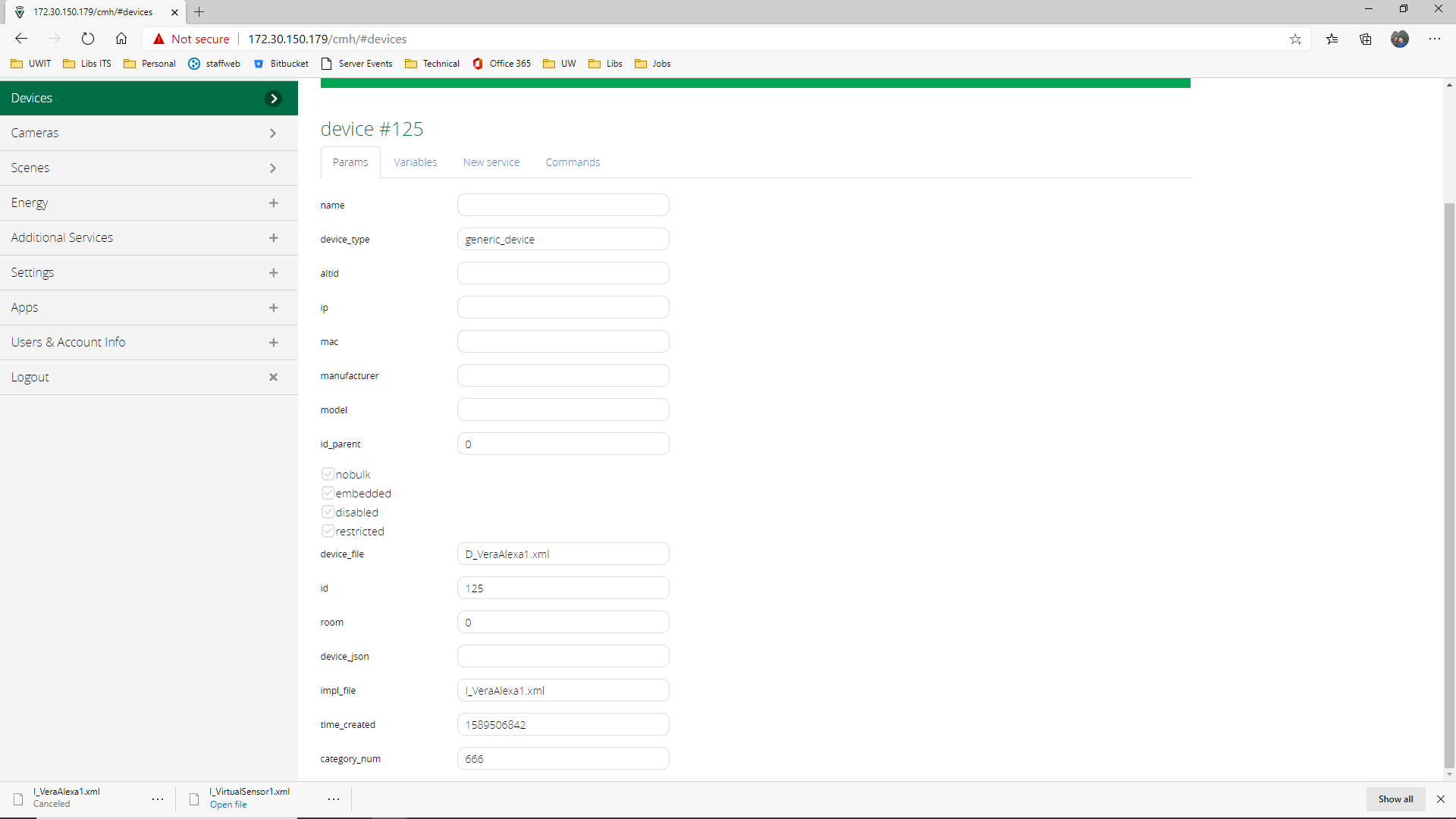
So, indeed, the device type in the instructions is wrong. It needs to match the device type in the device file which is D_VeraAlexa1.xml. What I would do is first re-upload all the files, and reload Luup. Then, create a new device, but when you do, do not specify the device type. Leave it blank. Specify only the device file, and make sure it is D_VeraAlexa1.xml, and when you specify the implementation file, make sure it is I_VeraAlexa1.xml (the I_ is the issue here with your current devices I think–yours keeps reporting that you have the D_ file in that slot, which is incorrect). Create, reload, hard-refresh browser.
You will still get errors for the old devices. We’re just trying to get one good working new device. We can delete the old devices after.
Alas, no difference. I looked thru both files trying to figure out if a typo somewhere, but I don’t really know what I’m looking at in there, no luck.
I guess I don’t understand what’s going on when I try to download any of these files. When I try to to download either the D_VeraAlexa1.xml file or the I_VeraAlexa1.xml file, via:
it just times out. Should I be worried about that, or is that just due to something in there that causes Vera to check back with some not-implemented web service or something?
Anyways, thanks so much for trying to help. I’ve got to quit for the night, but feel free to chime in with any other suggestions. Thank you!
Hello,
The script works very well in french except that the apostrophe doesn’t work, which is a little annoying because french has a lot of apostrophes, but it can prononce words quite properly if I remove it.
However, I do not have Sonos speakers, but Play-Fi speakers, with the Play-Fi skill on Alexa, and as soon as I installed the virtual device on the Vera to make Alexa speak, Alexa cannot play music on my Play-Fi speakers anymore, even if they are listed in audio devices in the alexa configuration. If I try to launch a music service on them with Alexa, the request doesn’t achieve and nothing happens. I was so glad to be able to use Vera to make announcements and give temperatures, but I cannot keep it if I cannot ask Alexa to put music in the kitchen!
I deleted the Vera virtual device, but, unfortunately, I didn’t recover the alexa capability to play on the Play-Fi speakers, despite several resets and reboots. I don’t know what happened and maybe it is related with the login files and I am now waiting for the expiration of the cookies to recover the PlayFi capabilities, hopefully in 1 or 2 weeks.
If you have any idea of what to do, you are welcome.
Or if someone experienced similar behaviour…
And just like that TTS is working again on my Sonos devices. Didn’t change anything just tried again today and it worked. Already moved my TTS engine to the Sonos native plugin but I will still be testing the Alexa TTS for versions to come.
Just wanted to write to say “thanks!” for your help and to let you know I’m all set. My original problem turned out to be (as you suspected) that I screwed up the file download (too embarrassing to say how). Once I realized my stupid mistake and correctly downloaded the files, all worked well. As other have found, I didn’t get the cookie off the bat (it appears I have two-factor auth turned on), but the workaround of manually copying the cookie file into /storaage/alexa solved that.
So I’m a happy camper and finally closing in on my goal of replacing my old Imperihome tablet! Thanks again for your help!
Dots and show are not talking for several days now.
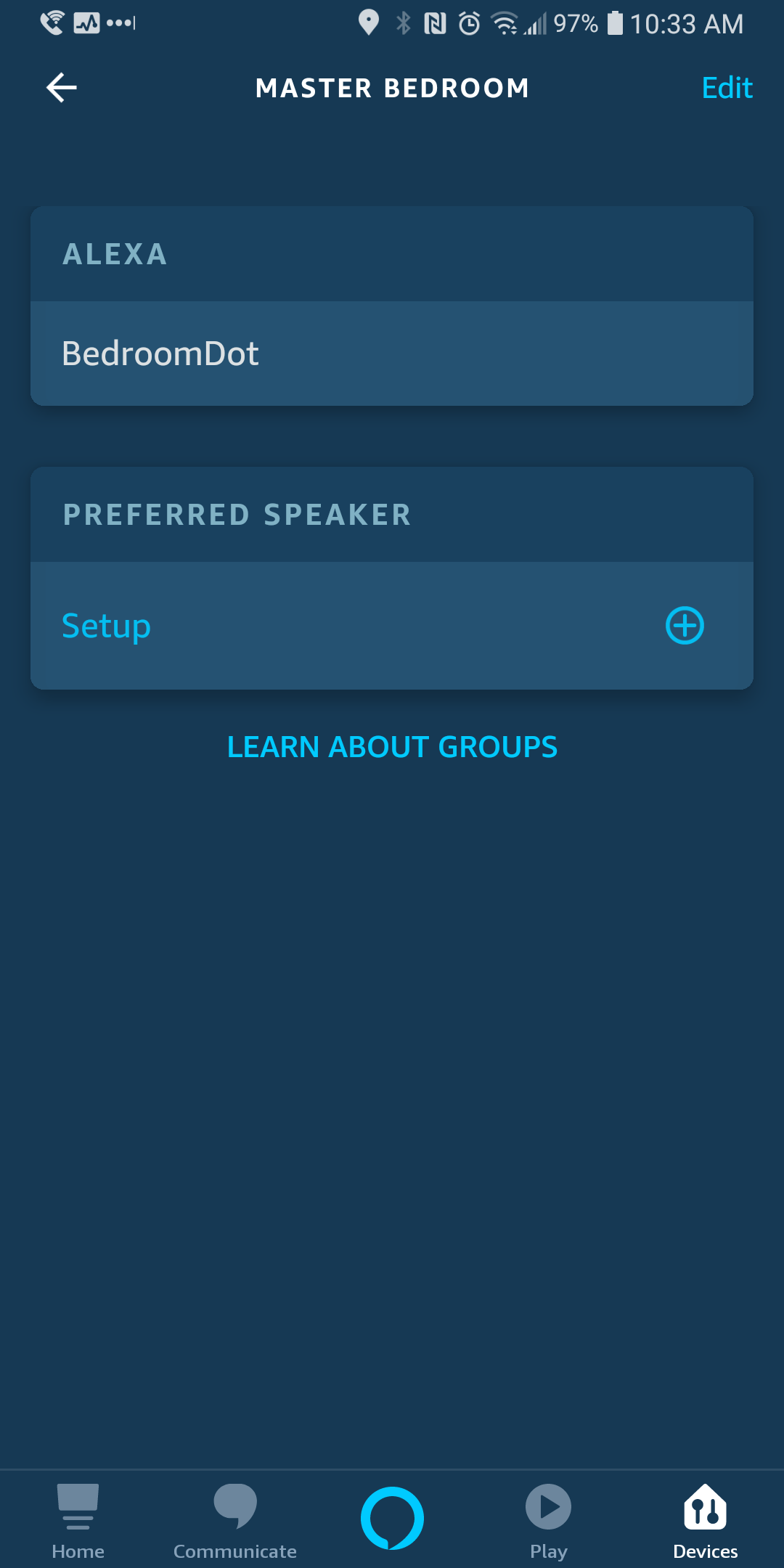
I’m not sure what happened and tried many things from reading this post on troubleshooting, so I started over by deleting the device, rm -rf the alexa folder via ssh, and rm the luup files via ssh. I’m not sure it matters, but I renamed the dots and show to remove spaces and verified I don’t have duplicate names. I downloaded the new zip from Github, uploaded the files to vera one at a time with the restart luup unchecked, except I checked it for the last luup file to upload. I restarted vera and saw the new device with new device number 88. I used the following command in the Test Luup code field,
luup.call_action(“urn:bochicchio-com:serviceId:VeraAlexa1”, “Say”,{Text=“Hello there”},88)
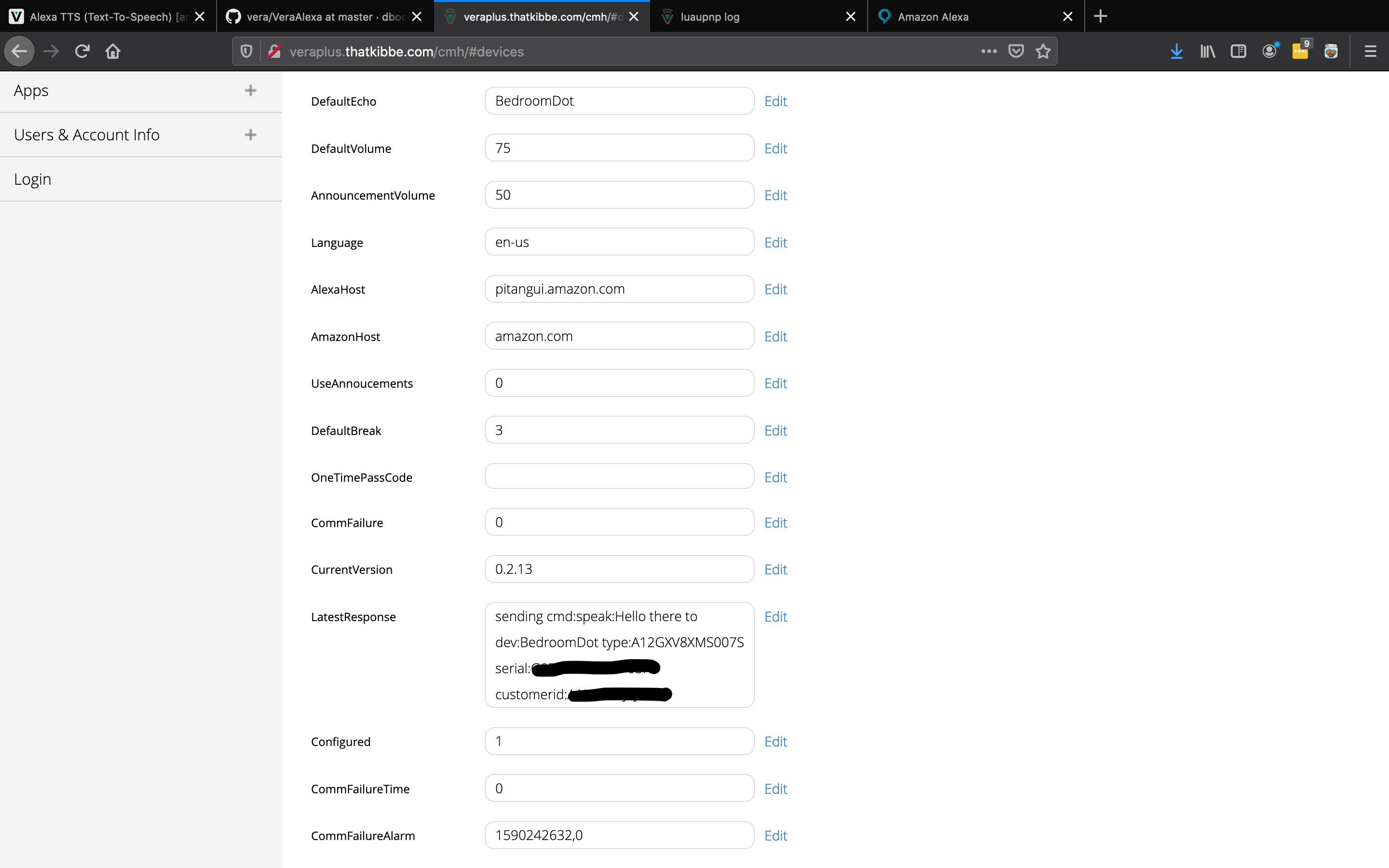
The device lastresponse field said the cookie was missing or something like that. I requested an OTP via my browser, used the received OTP in the device’s OTP field, and sent another luup code test. I noticed the /storage/alexa folder had the .alexa.cookie and devicelist files, but the dot and show are still not talking. I sent another luup test and the device’s lastesponse field was, “sending cmd:speak:Hello there to dev:BedroomDot type:A12GXV8XMS007S”…, but again nothing happens.
luup_log:88: VeraAlexa(setVar@115): setVar(“urn:bochicchio-com:serviceId:VeraAlexa1”,“LatestResponse”,“sending cmd:speak:Hello there to dev:BedroomDot type:A12GXV8XMS007S serial:G999GV8888877K7 customerid:A9B9CDEFG9IJ999”,88) old value “sending cmd:speak:Hello there to dev:BedroomDot type:A12GXV8XMS007S serial:G999GV8888877K7 customerid:A9B9CDEFG9IJ999” <0x73cac520>
50
05/23/20 10:17:38.904
luup_log:88: VeraAlexa(nil@270): Response from Alexa.sh: “sending cmd:speak:Hello there to dev:BedroomDot type:A12GXV8XMS007S serial:G999GV8888877K7 customerid:A9B9CDEFG9IJ999” <0x73cac520>
50
05/23/20 10:17:38.905
luup_log:88: VeraAlexa(sayTTS@327): Queue will be checked again in “3” secs <0x73cac520>
—
—
—
50
05/23/20 10:17:41.101
luup_log:88: VeraAlexa(checkQueue@200): checkQueue: 88 - 0 in queue <0x754ac520>
50
05/23/20 10:17:41.102
luup_log:88: VeraAlexa(checkQueue@204): checkQueue: 88 - queue is empty <0x754ac520>